guides
guides
1 June 2025 • 6 min read
1 June 2025 • 6 min read
How to Enable QR Code Payments via a mobile or Counter POS (And Why It Matters for Your Venue)
How to Enable QR Code Payments via a mobile or Counter POS (And Why It Matters for Your Venue)
How to Enable QR Code Payments via a mobile or Counter POS (And Why It Matters for Your Venue)
How QR Scan to Pay works across mobile and counter POS, and why it improves speed, loyalty, and data capture.
How QR Scan to Pay works across mobile and counter POS, and why it improves speed, loyalty, and data capture.
Written by

Nomni
The ultimate hospo solution
At Nomni, we’ve seen how venues using QR Scan to Pay reduce staff pressure, speed up service, and improve customer experience — while capturing structured transaction data.
The benefits of Nomni's QR Scan to Pay
QR code payments or Scan to Pay by Nomni offers:
Faster checkouts, even for Pay Later orders – no waiting for terminals, just a QR code to retrieve your order and multiple ways to pay
Built-in loyalty – rewards & incentive distribution through branded currency, automated by Brandollar Connect
Data capture – every transaction contributes to venue-level reporting and customer insights, supporting better decision-making and targeted engagement
With Nomni, QR payments are not just a checkout method. They connect payments, loyalty, and reporting in one flow.
Why QR code-powered payments are the need of the hour
Staffing pressures are high - and QR payments reduce workload at the busiest moments, making checkout a smoother, faster experience
More customers prefer mobile or wallet-based options - and Nomni's Scan to Pay enables this, even without needing app downloads
Loyalty is getting harder to win - but with Nomni's QR code Scan To Pay, you can reward with every transaction and boost loyalty sign-ups & retention
Marketing is harder - unless you’re building data with every transaction, like with QR payments, and passing it on to your CRM
Margins are tighter & surcharges are getting controversial - and Scan To Pay can help your bring down Merchant Service Fees & terminal fees while safeguarding your margins, by directing more users to pay via Wallet, Brandollars or other options
Paying Now or Later with a QR Code
Nomni’s QR payments support both pre-payment and post-meal settlement, depending on venue type and service model. Whether your customer is seated at the table or interacting with a Nomni-powered POS, the experience is designed to be smooth and intuitive.
Scan to Pay Now
In the Pay Now flow, the customers complete payment before the order is fulfilled. This is typically done at the point of sale or ordering - whether that’s via staff at a counter or a self-ordering kiosk.
How it works:
Customer places their order
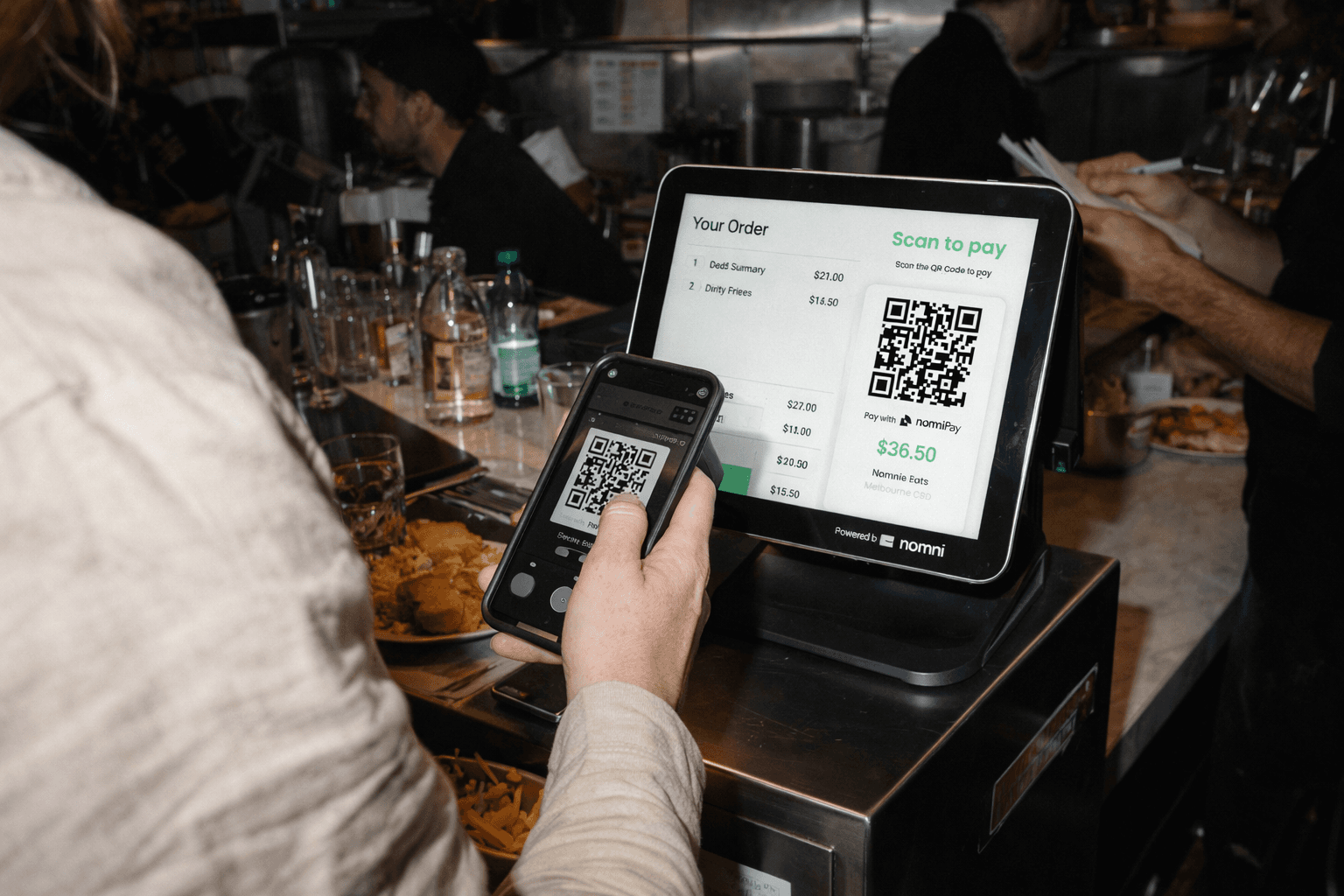
The venue displays a QR that the customer can scan - typically using a Customer Facing Display at the POS or on the Kiosk screen
The customer scans the QR code which opens up a mobile checkout page where they can:
Verify the bill amount
Add a tip
Pay using their preferred method - including Apple or Google Pay, Credit or Debit Card, Brandollars, reward or loyalty points
As soon as their payment is complete, they are shown the reward points they’ve earned. There is also a prompt to sign in, or join the loyalty program if they haven’t already, to redeem their rewards
Scan to Pay Later
In the Pay Later flow, the customer pays after they've ordered and eaten. This is ideal for full-service venues, conveyor concepts, and table-based ordering models, where guests settle the bill when they’re ready to leave.
How it works:
Guest is seated and starts placing orders
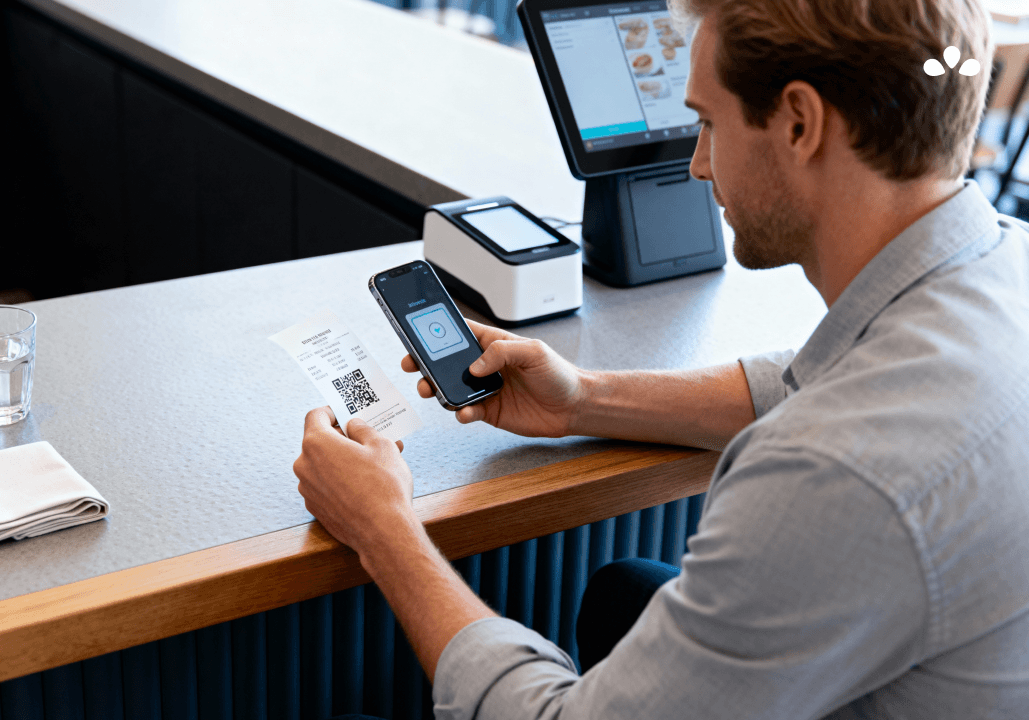
If the order is placed successful, a QR code shows up on the screen they place their order on (could be on their own mobile device or a screen at their table), or the staff gives them a printed QR code
Once they are done with their meal, including any additional items ordered, and are ready to pay, they need to scan the QR at the cash machine or payment counter
This retrieves & displays their order and billing information
They can make their payment by cash or any linked payment methods you’ve set up
Once their payment is complete, they can choose to email themselves a receipt, which includes the QR code for rewards redemption
QR code payments make life easier for everyone — and when powered by Nomni One, it’s not just a faster way to pay. It’s a smarter way to grow.
If you're a venue owner, there's never been a better time to integrate QR payments into your service experience. Get in touch with us if you’d like to enable QR code payments at your venue.
At Nomni, we’ve seen how venues using QR Scan to Pay reduce staff pressure, speed up service, and improve customer experience — while capturing structured transaction data.
The benefits of Nomni's QR Scan to Pay
QR code payments or Scan to Pay by Nomni offers:
Faster checkouts, even for Pay Later orders – no waiting for terminals, just a QR code to retrieve your order and multiple ways to pay
Built-in loyalty – rewards & incentive distribution through branded currency, automated by Brandollar Connect
Data capture – every transaction contributes to venue-level reporting and customer insights, supporting better decision-making and targeted engagement
With Nomni, QR payments are not just a checkout method. They connect payments, loyalty, and reporting in one flow.
Why QR code-powered payments are the need of the hour
Staffing pressures are high - and QR payments reduce workload at the busiest moments, making checkout a smoother, faster experience
More customers prefer mobile or wallet-based options - and Nomni's Scan to Pay enables this, even without needing app downloads
Loyalty is getting harder to win - but with Nomni's QR code Scan To Pay, you can reward with every transaction and boost loyalty sign-ups & retention
Marketing is harder - unless you’re building data with every transaction, like with QR payments, and passing it on to your CRM
Margins are tighter & surcharges are getting controversial - and Scan To Pay can help your bring down Merchant Service Fees & terminal fees while safeguarding your margins, by directing more users to pay via Wallet, Brandollars or other options
Paying Now or Later with a QR Code
Nomni’s QR payments support both pre-payment and post-meal settlement, depending on venue type and service model. Whether your customer is seated at the table or interacting with a Nomni-powered POS, the experience is designed to be smooth and intuitive.
Scan to Pay Now
In the Pay Now flow, the customers complete payment before the order is fulfilled. This is typically done at the point of sale or ordering - whether that’s via staff at a counter or a self-ordering kiosk.
How it works:
Customer places their order
The venue displays a QR that the customer can scan - typically using a Customer Facing Display at the POS or on the Kiosk screen
The customer scans the QR code which opens up a mobile checkout page where they can:
Verify the bill amount
Add a tip
Pay using their preferred method - including Apple or Google Pay, Credit or Debit Card, Brandollars, reward or loyalty points
As soon as their payment is complete, they are shown the reward points they’ve earned. There is also a prompt to sign in, or join the loyalty program if they haven’t already, to redeem their rewards
Scan to Pay Later
In the Pay Later flow, the customer pays after they've ordered and eaten. This is ideal for full-service venues, conveyor concepts, and table-based ordering models, where guests settle the bill when they’re ready to leave.
How it works:
Guest is seated and starts placing orders
If the order is placed successful, a QR code shows up on the screen they place their order on (could be on their own mobile device or a screen at their table), or the staff gives them a printed QR code
Once they are done with their meal, including any additional items ordered, and are ready to pay, they need to scan the QR at the cash machine or payment counter
This retrieves & displays their order and billing information
They can make their payment by cash or any linked payment methods you’ve set up
Once their payment is complete, they can choose to email themselves a receipt, which includes the QR code for rewards redemption
QR code payments make life easier for everyone — and when powered by Nomni One, it’s not just a faster way to pay. It’s a smarter way to grow.
If you're a venue owner, there's never been a better time to integrate QR payments into your service experience. Get in touch with us if you’d like to enable QR code payments at your venue.
Nomni is the first complete hospitality system that works for you. Loved by over 35,000 venues across Asia Pacific and used by tens of millions of diners and operators annually. To see how Nomni can work for you, visit Nomni.ai
Nomni is the first complete hospitality system that works for you. Loved by over 35,000 venues across Asia Pacific and used by tens of millions of diners and operators annually. To see how Nomni can work for you, visit Nomni.ai
Share this post
Share this post
You might also like
You might also like
You might also like


Browse by category
Browse by category
End not knowing!
Get industry insights, guides, best practices from the best operators, sneak previews of new technology, and more!
End not knowing!
Get industry insights, guides, best practices from the best operators, sneak previews of new technology, and more!
End not knowing!
Get industry insights, guides, best practices from the best operators, sneak previews of new technology, and more!